Model Evals
Compare AI models, prompts, and MCP tool sets side-by-side on the same prompt to measure quality and guide improvements.
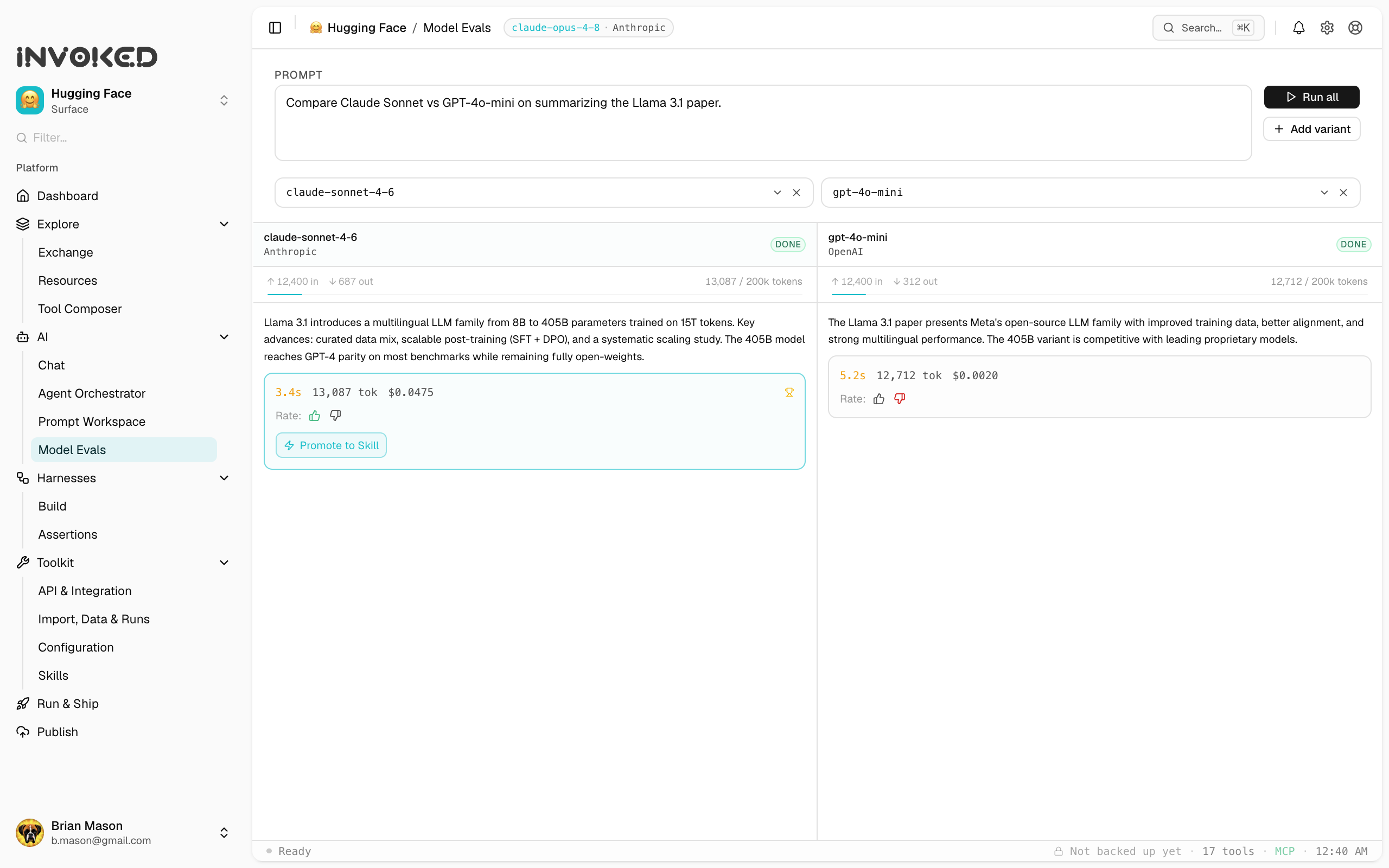
Model Evals (under AI in the sidebar) let you run the same prompt across multiple models side by side to measure quality differences — between models, prompts, or tool sets.
Model Evals compare different models against each other. To check a single harness's behavior against pass/fail rules (expected tool called, max latency, output schema), use Harness Assertions instead.
Why Model Evals?
Without evals, improving agents is guesswork. They give you a structured, repeatable way to answer questions like:
- Is Claude Sonnet actually better than GPT-4o for this task?
- Did my prompt change improve or regress quality?
- Which tool set produces the most accurate results?
Running an eval
- Open the Model Evals panel (under AI)
- Click New eval
- Select a baseline run (what you're comparing against)
- Configure the challenger — a different model, prompt, or tool set
- Click Run eval
Both runs execute against the same input, and the results are shown side-by-side.
Eval metrics
| Metric | Description |
|---|---|
| Duration | Wall-clock time for each run |
| Token usage | Prompt + completion tokens |
| Step count | Number of tool calls and model steps |
| Output diff | Side-by-side diff of the final output |
Eval scoring
You can add a scorer to automatically grade outputs. Built-in scorers:
- Exact match — output must equal expected string
- Contains — output must include a substring
- JSON valid — output must be parseable JSON
- LLM judge — a second model grades the output on a rubric (requires API key)
Custom scorers are JavaScript functions that receive the run output and return a score between 0 and 1.
Eval history
All eval results are stored in SQLite alongside run data. The Evals panel shows a history of all past evaluations with their scores, making it easy to track improvement over time.