Connecting Models
Connect LLM providers to Invoked — add API keys for Anthropic Claude, OpenAI, Groq, Ollama, or Hugging Face to power your MCP agent runs.
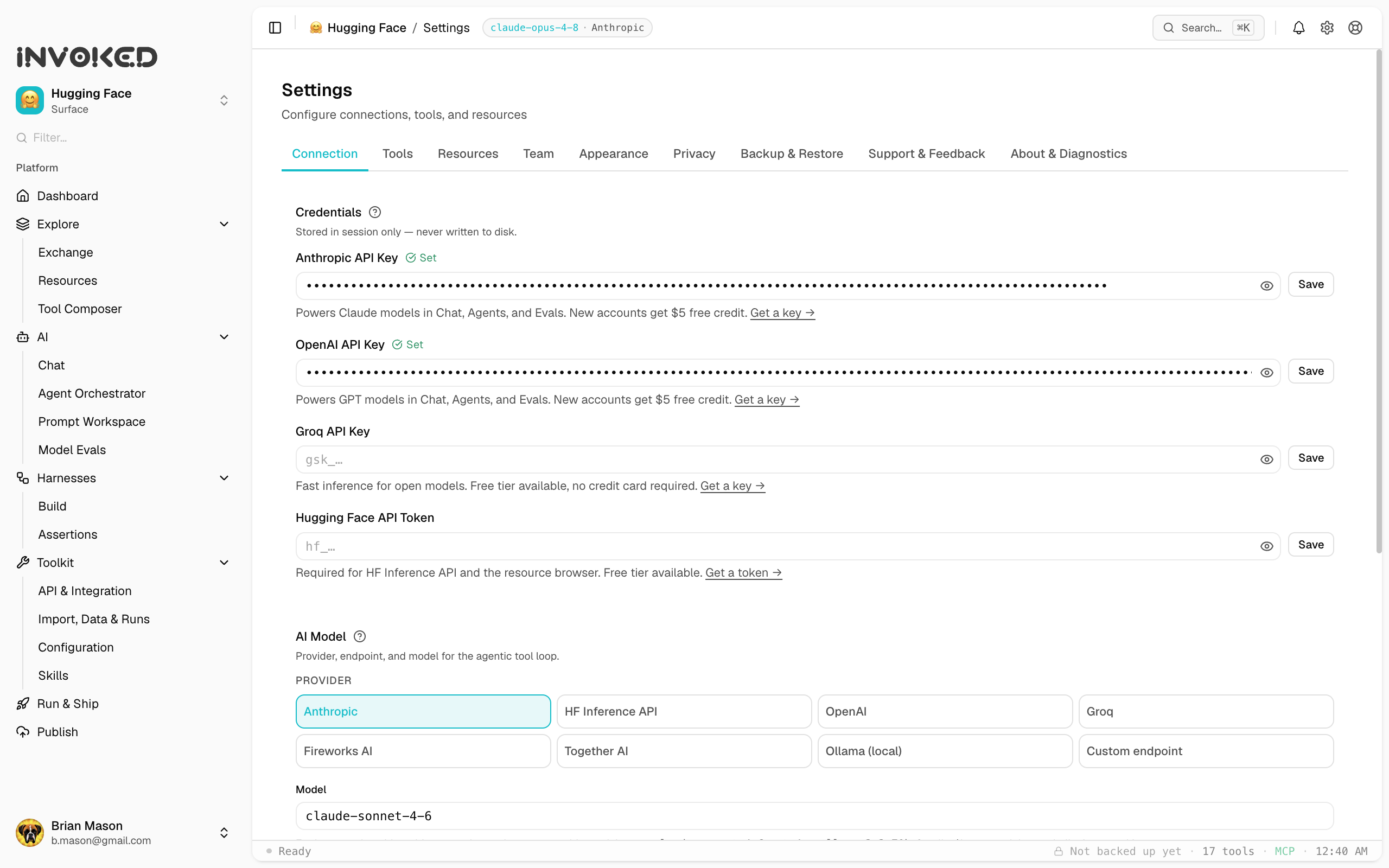
Adding a provider
- Open Settings (⌘,)
- Go to the Connection tab
- Select a provider from the grid
- Paste your API key and click Save
API keys are stored in your OS keychain via Electron's safeStorage API — never written to disk in plain text.
Supported providers
Anthropic
Get your API key at console.anthropic.com.
New accounts receive $5 in free credit — enough to run hundreds of agent sessions before you need to add a payment method.
Supported models: claude-opus-4-7, claude-sonnet-4-6, claude-haiku-4-5
OpenAI
Get your API key at platform.openai.com.
New accounts receive $5 in free credit.
Supported models: gpt-4o, gpt-4o-mini, gpt-4-turbo
Groq
Get your API key at console.groq.com.
Groq offers a free tier with no credit card required — generous rate limits for development and personal use.
Supported models: llama-3.1-70b-versatile, llama-3.1-8b-instant, mixtral-8x7b-32768
Hugging Face Inference
Get your token at huggingface.co/settings/tokens.
HF Inference offers a free tier for many hosted models. Token is also required for the resource browser and HF workspace features.
Ollama (local, free)
Install Ollama and pull a model:
ollama pull llama3.2In Invoked, select Ollama as the provider. No API key needed — runs entirely on your machine.
Supported models: any model you've pulled locally via ollama pull.
OpenAI-compatible endpoints
Select OpenAI Compat and enter a custom base URL. Works with any provider that implements the OpenAI /v1/chat/completions API — including local servers, Fireworks, Together AI, and others.
Which provider should I start with?
| Goal | Recommendation |
|---|---|
| Best quality | Anthropic (Claude Sonnet) |
| Free, no card | Groq or HF Inference |
| Fully local, private | Ollama |
| Already have credits | OpenAI |
Setting a default model
In Settings → Connection, select your provider and model. This becomes the default for Chat and Agent Orchestrator runs.
Per-skill model override
A skill can specify a preferred model that overrides the workspace default. Useful for skills that require a specific model's capabilities (e.g., large context window, vision support).