Your First Skill
Turn a successful agent run into a reusable MCP skill — save the prompt, tool set, and model config so your team can invoke the same behavior repeatedly.
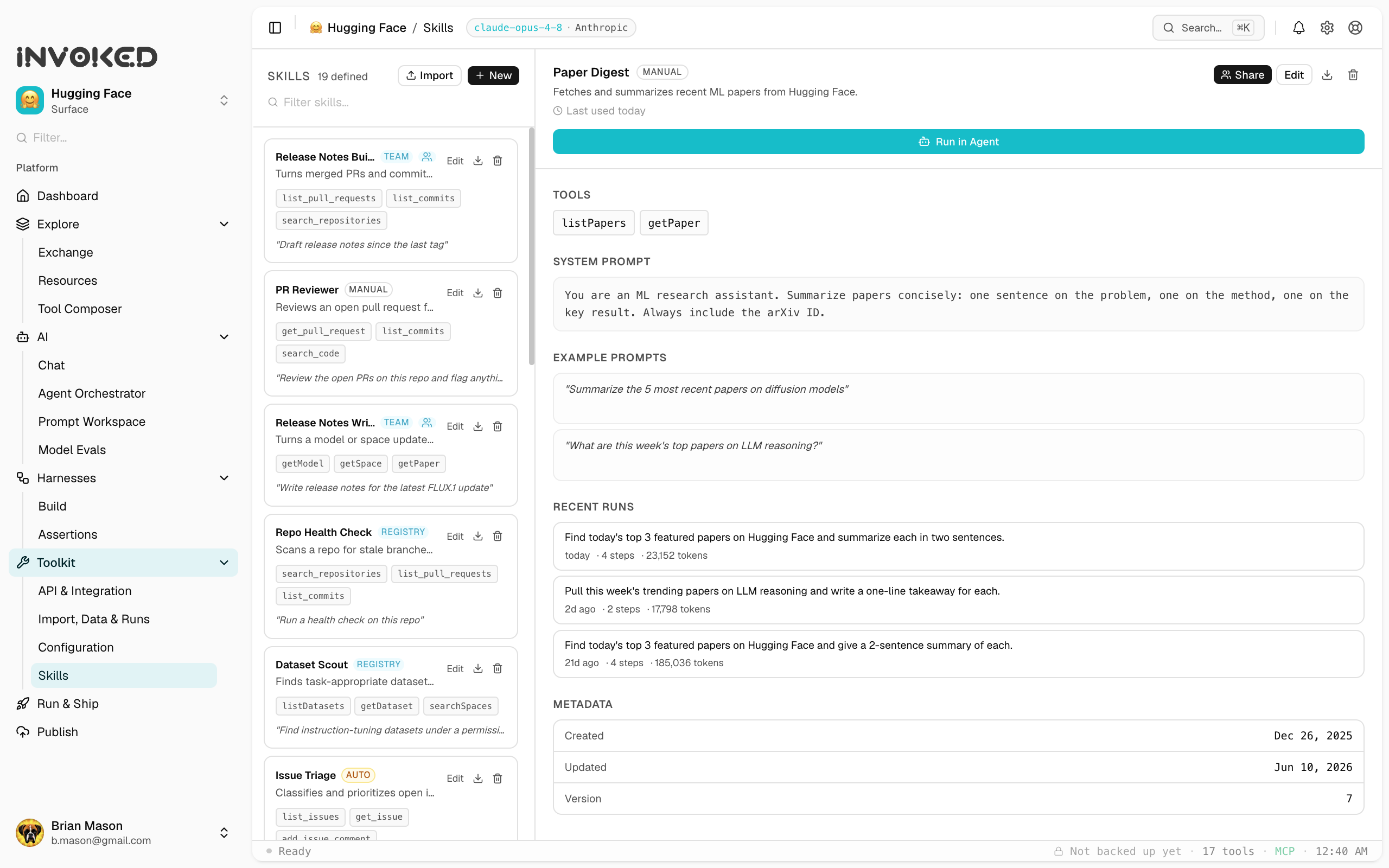
What is a skill?
A skill is a saved agent behavior — a prompt template, a set of tools, and optionally a model preference — that you can invoke by name. Skills are the unit of reuse and sharing in Invoked.
Think of a skill like a function: you give it inputs, it runs the same agent behavior, and it returns outputs. The difference from a raw run is that the behavior is captured, named, and versioned.
Creating your first skill
After a successful run, click Save as skill in the run header. You'll be prompted for:
- Name — a short, human-readable name (e.g.,
Summarize PR) - Description — what this skill does and when to use it
- Input schema — optional typed inputs that parameterize the prompt
Alternatively, open the Skills panel (⌘4) and click New skill to start from scratch.
Anatomy of a skill
name: Summarize PR
description: Summarizes a GitHub pull request into bullet points.
model: claude-3-5-sonnet  # optional override
tools:
  - web_search
  - read_file
prompt: |
  Summarize the following pull request in 3-5 bullet points.
  Focus on: what changed, why it changed, and any risks.

  PR: {{pr_url}}
inputs:
  pr_url:
    type: string
    description: The GitHub PR URL to summarize
Running a skill
From the Skills panel:
- Click the skill you want to run
- Fill in any required inputs
- Click Run skill
The run will appear in the Runs panel just like a manual run — fully traced and observable.
Sharing skills
Skills are stored as JSON in ~/Library/Application Support/Invoked/skills/. You can:
- Copy a skill file and send it to a teammate
- Export from Skills → ⋯ → Export
- Import a skill via Skills → Import
Team-distributed skills coming in v0.3 — skills will sync via your workspace config.