Multi-Agent Canvas
Orchestrate multiple AI agents in parallel on Invoked's visual canvas — chain MCP tool calls across agents for complex multi-step workflows.
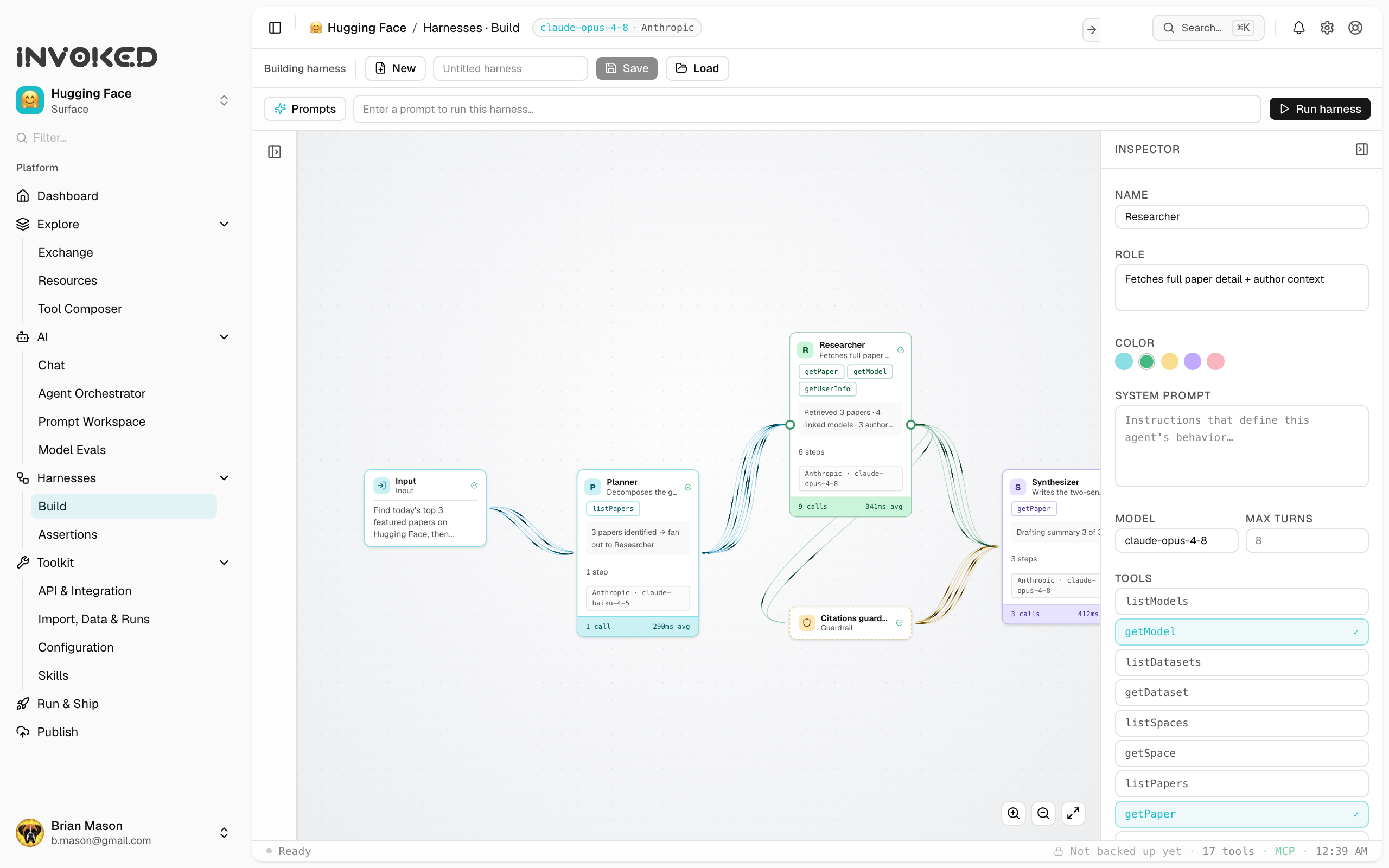
What is the canvas?
The Multi-Agent Canvas is a visual workspace where you can create multiple agent nodes, connect them, and run them in parallel or in sequence. It's designed for workflows that are too complex for a single agent — where different subtasks benefit from specialization.
Adding agents to the canvas
- Open the Canvas panel (⌘5)
- Click Add agent or press
A - Configure the agent's role, model, tools, and prompt
- Repeat for as many agents as you need
Connecting agents
Draw connections between agents to define information flow:
- An arrow from A → B means B receives A's output as context
- Agents without incoming connections start immediately when you run the canvas
- Agents with incoming connections wait for their dependencies to complete
Running the canvas
Click Run all to execute the canvas. Agents run in dependency order — independent agents run in parallel, dependent agents wait.
You can also right-click any agent and choose Run this agent to execute it individually.
Canvas layouts
Use the Layout menu to auto-arrange your agents:
- Horizontal — left to right, dependencies to the right
- Vertical — top to bottom
- Auto — Invoked infers the best layout based on your connections
Example: PR review pipeline
[Fetch PR]          [Fetch linked issues]
     ↓                       ↓
     └──────────┬────────────┘
                ↓
         [Summarize & score]
                ↓
        [Write review comment]
Four agents, three of which can run in parallel (the first two), with the final two sequential.
Limitations
- Maximum 20 agents per canvas
- Circular dependencies are not allowed
- Canvas state is saved automatically but runs are not persistent across restarts