Tools
Tools are the functions an AI agent calls during a run. In Invoked, every surface you connect exposes its own tools, alongside a set of built-in local tools — all selectable per run.
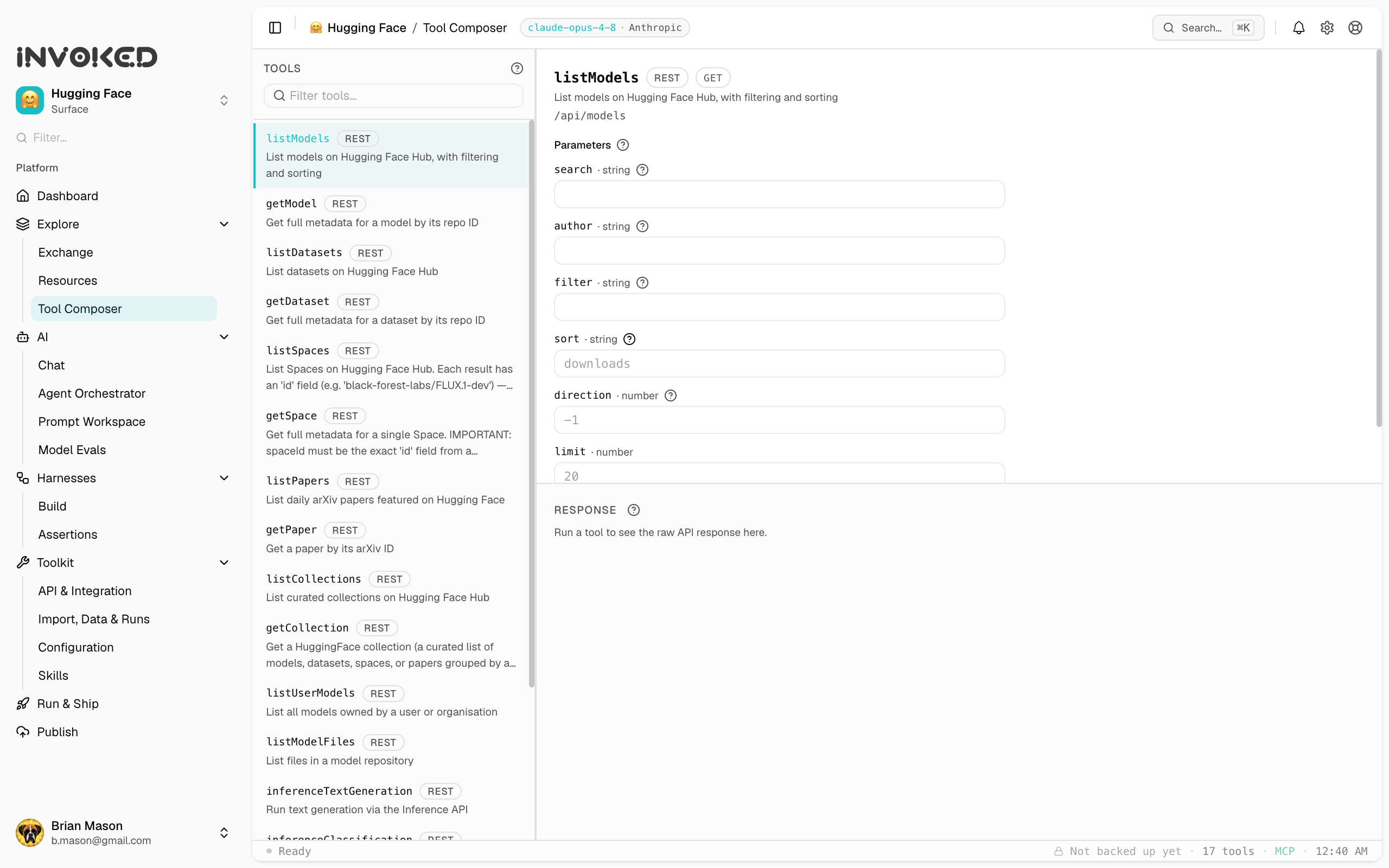
Tools are the functions an agent can call during a run. Each tool has a name, a description the model uses to decide when to call it, and a typed input schema.
Where tools come from
In Invoked, tools come from two places:
- Surfaces — every surface you connect (an MCP server or API) exposes its own tools. Adding a surface makes its tools available to agents in that workspace. This is the main way you give agents capabilities.
- Built-in local tools — a small set of general-purpose tools that ship with the app for working with your local environment.
Built-in local tools
| Tool | Description |
|---|---|
read_file | Read a file from the local filesystem |
write_file | Write or overwrite a file |
list_dir | List directory contents |
bash | Execute a shell command |
web_search | Search the web |
fetch_url | Fetch and parse a URL |
git_log | Read recent git commits |
git_diff | Show a git diff |
grep | Search file contents |
find_files | Find files by pattern |
Tool selection
Tools are selected per-skill or per-run. In the run composer, use the Tools dropdown to choose which tools are available to the agent. Restricting tools improves focus and reduces hallucination risk.
Adding more tools
To give agents new capabilities, add a surface from the Exchange or connect your own MCP server / REST API. Its tools become available immediately — no code changes, no redeploy.