Running Model Evals
Run structured Model Evals to compare AI agent runs — benchmark models, prompts, and MCP tool sets side-by-side to measure quality and guide improvements.
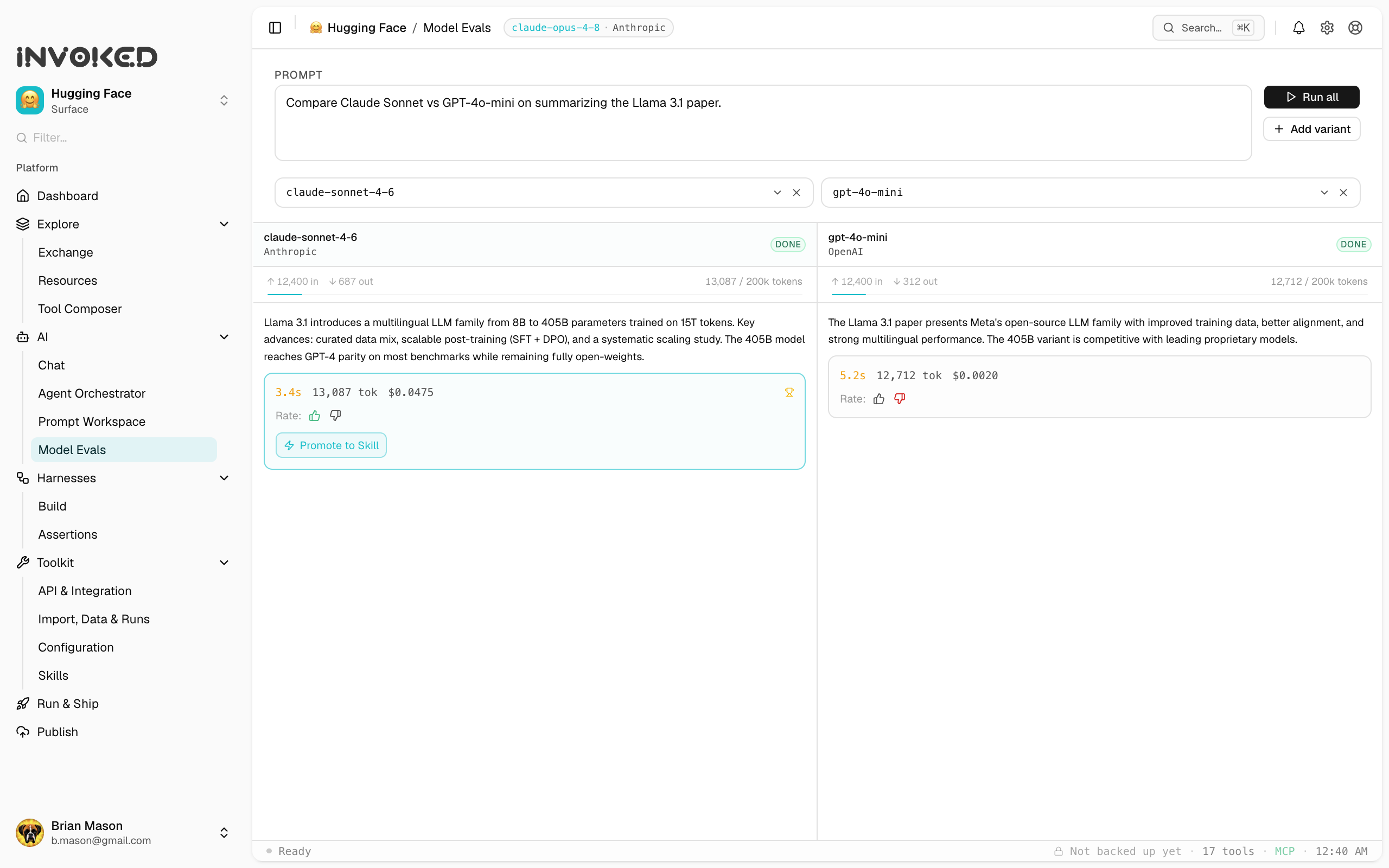
Open Model Evals under AI in the sidebar. (For pass/fail behavioral checks on a single harness, see Harness Assertions instead.)
When to run Model Evals
Run evals when you want to answer a specific question:
- "Is this model better for my use case than that one?"
- "Did my prompt change make things better or worse?"
- "What's the cost/quality tradeoff between Sonnet and Haiku?"
Setting up an eval
1. Choose a baseline
Select an existing run to use as the baseline — this is what you're comparing against. Pick a run that represents the current behavior you want to improve or compare.
2. Configure the challenger
The challenger is what you're testing. You can vary:
- Model — same prompt, different model
- Prompt — same model, different prompt (use the prompt editor)
- Tools — same prompt and model, different tool set
3. Run
Click Run eval. Invoked executes the challenger against the same input as the baseline and presents the results side-by-side.
Reading eval results
The eval view shows:
Baseline                    Challenger
─────────────────           ─────────────────
Model: claude-3-opus        Model: claude-3-5-sonnet
Duration: 4.2s              Duration: 1.8s  ✓ faster
Tokens: 2,104               Tokens: 1,891   ✓ fewer
Steps: 6                    Steps: 4        ✓ fewer

Output diff:
  Line 1 unchanged
- Old phrasing from baseline
+ New phrasing from challenger
  Line 3 unchanged
Adding a scorer
To automatically grade outputs, add a scorer to the eval:
// scorer.js — returns 0–1
export function score(output, expected) {
  const keywords = ['risk', 'impact', 'timeline']
  const found = keywords.filter(k => output.toLowerCase().includes(k))
  return found.length / keywords.length
}
Load it from Evals → New eval → Add scorer → Load file.
Batch evals
Run the same comparison across multiple inputs to get aggregate statistics:
- Create a test set (CSV or JSON file with
inputand optionalexpected_outputcolumns) - In New eval, toggle Batch mode
- Upload your test set
- Run — Invoked executes both baseline and challenger for every row
Aggregate results show mean/median scores, duration, and token usage across all cases.